
Why sending "cuts off" and is almost never a network outage
If you run sales or support on the WhatsApp Business API, at some point someone on the team will report that "no more messages are going out." In most cases it is not an outage: it is the messaging limit, the quota of conversations that you start (business-initiated conversations, or BICs).
At Vantegrate we see this pattern every week in teams that use WhatsApp as a sales channel. The goal of this article is to translate Meta's current documentation into an operating rule you can put on your dashboard.
Before you promise a big blast, separate three ideas that tend to get mixed up: the cap on unique recipients outside the window, sending speed, and the per-recipient marketing filter. If you don't separate them, the diagnosis always points at the wrong dial.
What Meta measures (and what doesn't count against you)
The messaging limit is the maximum number of unique phone numbers your company can deliver a message to outside a customer service window, in a rolling 24-hour window.
It is not a cap on messages sent. It is also not the 256-contact broadcast of the WhatsApp Business app.
They are different products. Mixing them up leads to impossible plans and internal fights between marketing and operations.
Situations that do (or don't) use up the quota
First template delivered to someone who hadn't written to you: yes. It adds 1 unique.
Three messages to the same number within those 24 hours: no. It's still 1.
The customer wrote in and you reply within 24 h: no. That thread is free.
A send that wasn't delivered: it doesn't help you scale. Meta counts deliveries.
Order notice, OTP or promo outside the window: yes, if there was no open window.
The 24-hour window starts when the customer contacts you. While it is open, you can reply without a template and without using up the BIC.
The quota bites when you open the conversation with a template. Marketing, utility or authentication all count the same if they go outside the window.
The five tiers that matter in practice
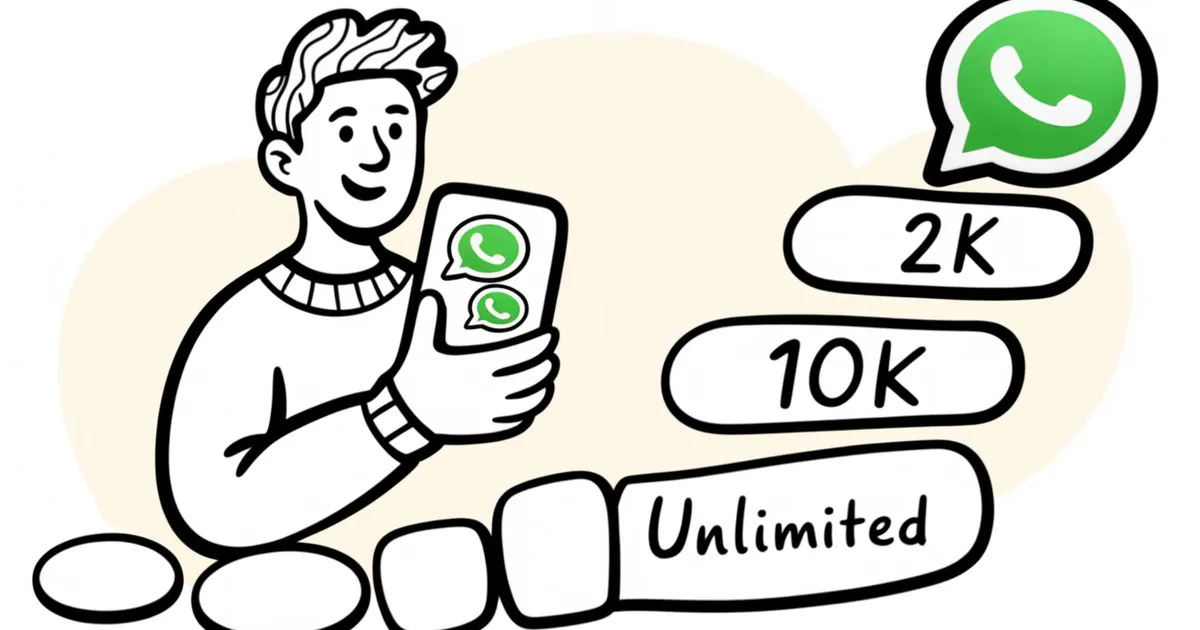
Meta organizes the ceiling into five clear levels. A new portfolio starts at the bottom and only moves up if it meets specific rules.
Initial: 250 uniques every 24 h (new portfolio).
Verified: 2,000 (complete a scaling path).
Scale 1: 10,000 (automatic).
Scale 2: 100,000 (automatic).
Cap: unlimited (automatic).
In the API, the current field is called whatsapp_business_manager_messaging_limit (TIER_250, TIER_2K, and so on). The old messaging_limit_tier is deprecated.
In WhatsApp Manager the number appears under Account tools → Messaging limits. Write that value on your dashboard next to the weekly campaign plan.
From 250 to 2,000: the only stretch where you decide
Here you do have to act. Meta accepts three paths, and one is enough.
Afterward it analyzes quality and approves or denies. Completing the path does not guarantee the jump if quality is broken.
Verify the business in Meta Business Suite.
Have the partner verify you (PLBV), if a BSP onboarded you.
Clean volume: 2,000 high-quality templates, delivered to unique numbers, outside the window, in a rolling 30 days.
Verification is the most common shortcut. It is not a blind switch.
If quality is poor, the portfolio can stay at 250 even if KYC is approved. That's why you should clean up templates before pushing the path.
Completing this stretch also raises something else that is easy to overlook: the cap on registered numbers, from 2 to 20. Those numbers keep sharing the same quota.
Adding numbers does not multiply the BIC. A single aggressive number can drain the pool of the entire portfolio.
From 2,000 up you don't ask: you prove it with real usage
From 2,000 on, Meta looks at two conditions at the same time. High quality on every number and every template in the portfolio.
You must also have used at least half of the current limit in the last 7 days. If both are met, the portfolio moves up one tier in under 6 hours.
There is no ticket. There is no process for "asking the account manager to unlock 10,000."
Operating reading of the 50% in 7 days
You're at 2,000: in 7 days you need ≥ 1,000 uniques to move to 10,000.
You're at 10,000: in 7 days you need ≥ 5,000 uniques to move to 100,000.
You're at 100,000: in 7 days you need ≥ 50,000 uniques to move to unlimited.
You don't need to max out the ceiling every day. Staying at 200 or 300 uniques per day, even with perfect quality, won't trigger the jump either.
The scaling KPI is unique recipients delivered, outside the window. "Messages attempted" is a misleading metric for this ceiling.
What changed with the per-portfolio calculation (and why old guides are wrong)
Until October 2025 the limit was calculated per number. A new number started at 250.
If quality dropped to Flagged for 7 days, Meta lowered you one tier. That no longer applies.
The documentation on changes to the per-portfolio calculation left that model behind. Since late 2025 the rules are different.
The quota belongs to the Business Portfolio. All numbers draw from the same pool.
A new number inherits the portfolio's ceiling. It does not go back to 250.
The Flagged status is gone.
If quality turns yellow or red, the messaging limit is not downgraded.
Today's risk is different, and in practice it hurts more. The portfolio freezes, Meta pauses marketing templates and the campaign stops delivering.
Getting back to green takes weeks of clean sends. It is not fixed with a complaint or an urgent ticket. If the account has already received a policy restriction, what each notice means and how to appeal is covered in how to avoid having your WhatsApp number blocked.
What "high quality" means when WhatsApp doesn't read the text
WhatsApp does not open the content of the message. It estimates quality from what recipients do, weighted by recency, over roughly seven days.
The official detail is in the phone number quality rating guide. Read it alongside your template plan.
Blocks.
Spam reports and the reason the user selects.
Muting, archiving, low read rates, low reply rates.
The number shows as green, yellow or red in WhatsApp Manager. Each template has its own rating, and the full traffic-light system is explained in the WhatsApp quality rating entry.
A red template can stall scaling for the entire portfolio even if everything else is flawless. Pausing it before you push volume avoids weeks of stagnation.
The boring recipe is the one that works: real opt-in, messages people expect, and no burning cold lists to "hit the 50%." In retail and e-commerce operations, that means abandoned carts, renewals and customers who have already bought.
Purchased lists look like a shortcut. In practice they lower quality and block the next tier.
Three ceilings that are not this ceiling (plus one that confuses everyone)
If sending "gets stuck," first ask which of these dials moved. Mixing them up leads to false diagnoses and lost weeks.
Messaging limit
How many unique contacts you can message first. This is the focus of this article and of Meta's Messaging Limits guide.
Throughput
How fast each number sends. It starts at 80 messages per second.
It rises to 1,000 msg/s only if the portfolio is already unlimited, that number has reached 100,000 unique contacts in 24 hours, and quality is at least medium. You can have a 10,000 ceiling and still be slow.
See Throughput for the details on requirements. Don't assume that "unlimited" means instant mass sending.
Pair rate
To the same person, one message every 6 seconds, about 10 per minute, according to Meta's documentation. It is not the daily quota.
It is a pacing brake per conversation. It keeps you from hammering the same contact in a burst.
Marketing per user
Meta may not deliver a marketing template to a given person even if your portfolio is unlimited. It is a recipient filter, not an account filter.
The reference is per-user marketing template limits. Use it when the "not delivered" status looks selective.
And a fifth, so you don't mix up products: the WhatsApp Business app still has lists of 256. That does not scale with these tiers.
What this looks like in a WhatsApp sales operation
Picture a financial services or B2B SaaS team that wants to send renewal notices on Monday to 8,000 contacts. If the portfolio is at 2,000, that blast is impossible even if the CRM says "all set."
The healthy approach is to plan for the 50% in 7 days with a high-intent audience. Leave room in the daily quota for utility and OTP messages.
Tools like Sellium help orchestrate WhatsApp sales without burning the BIC on cold lists. The focus shifts from "send everything on Monday" to "deliver clean unique contacts every day."
If you also measure funnel and delivery quality with something like Metrix, the team stops fighting over attempted messages. It starts looking at what Meta actually counts: unique contacts delivered outside the window.
In verticals with a high volume of notices, that change of metric is usually the turning point. The dashboard stops rewarding raw volume and rewards deliveries that contribute to scaling.
What to do this week if you are already at 2,000
Confirm the ceiling in WhatsApp Manager and write down the value of the API field.
Set up a 7-day window with at least 1,000 high-intent unique contacts (carts, renewals, customers who have already bought). Not a purchased list.
Pause any yellow or red template before pushing volume.
Reserve room in the daily quota for utility and OTP messages. They also consume unique contacts if they go outside the window.
Prioritize people who have already messaged you. That conversation does not spend a BIC.
Don't open a ticket asking for the 10,000. That process doesn't exist.
Meta's Help Center summarizes the 50% rule in Increase your WhatsApp Business message limits. Use it as a checklist, not as a promise of on-demand increases.
If your team needs a second opinion on the 7-day plan, you can book a demo and compare ceiling, quality and throughput against the real account.
Campaign design without burning the portfolio
Before promising a blast of 15,000 contacts, ask three things on the dashboard. What is the current tier of the Business Portfolio?
How many unique contacts did you deliver outside the window in the last 7 days? Is any template yellow or red?
If the answer to the second question is "less than half the ceiling," the jump won't come even if quality is perfect. If the answer to the third is "yes," clean volume can stall or be paused even if you use the 50%.
For teams that combine agents and automation, AI agents can prioritize who has already opened a window (without spending a BIC) and save the quota for the templates that actually open a conversation. That doesn't replace quality: it amplifies it.
A good operating practice is to separate queues: free-form replies within 24 hours and templates outside the window with an explicit daily ceiling. That way each team sees its own consumption without fighting over the same pool.
That way the support team doesn't eat up the quota that marketing needs for the jump. And marketing doesn't block OTPs or critical notices by saturating the pool.
Security, data and responsible operation
Scaling is not just "sending more." It means taking care of opt-in, consent and traceability of why each person receives a template.
In security and in the channel's daily practice, that reduces blocks and reports. A clean portfolio scales faster than an aggressive portfolio.
Meta doesn't read the copy: it reads the recipient's behavior. That's why list discipline and timing matter more than how clever the message is.
If you're building or reviewing your operation, on about us we explain how we help LATAM teams organize channel, quality and throughput without inventing shortcuts that Meta has already closed.
Typical mistakes that stall the jump (even if you "send a lot")
Believing that three numbers give you three quotas. They share the same pool.
Measuring attempted messages instead of unique contacts delivered.
Using cold lists to reach 50% and destroying quality in the attempt.
Asking for the 10,000 tier through a ticket or through the partner. That process doesn't exist under automatic scaling.
Ignoring utility and OTP: they also consume unique contacts outside the window.
Confusing the daily ceiling with throughput or with the per-user marketing filter.
The Pulse resources guide usually works as a parallel map when the team needs to align CRM, templates and delivery metrics. The Pulse blog gathers this kind of operational framework without empty marketing.
Reviewing stack pricing only makes sense after you've set the ceiling and the quality. If you want to map out scope, pricing summarizes options without replacing the portfolio diagnosis.
In one sentence (for the dashboard)
The BIC limit is real, it is counted in unique contacts, starts at 250, moves to 2,000 through verification (or another path) and then only goes up if you use at least half of the quota within 7 days with high quality. You can't request it.
It doesn't multiply per number. And under the current regime (since late 2025), it doesn't drop a tier when quality deteriorates: it stalls.
If you're designing the WhatsApp operation of a mid-sized company in LATAM (sales, recovery, notices, OTP), this is the framework you need before promising a big blast on Monday. Put it next to your CRM, templates and the API field for the messaging limit.
Frequently asked questions
Can you ask Meta to raise your limit?
No, except by completing a scaling path to 2,000. From there up, the increase is automatic.
If you add three numbers, do you get 6,000?
No. All three share the same portfolio pool.
Do replies to the customer count?
No, as long as they are within the 24-hour window that the user opened.
Will they drop you from 10,000 to 2,000 if there are reports?
According to the current documentation, no: the quota is not downgraded. They can, however, block your next jump and pause your templates.
Does unlimited mean you can send whatever you want?
It means there is no cap on unique contacts per 24 hours. Throughput, pair rate, quality policies and the per-user marketing filter still exist.