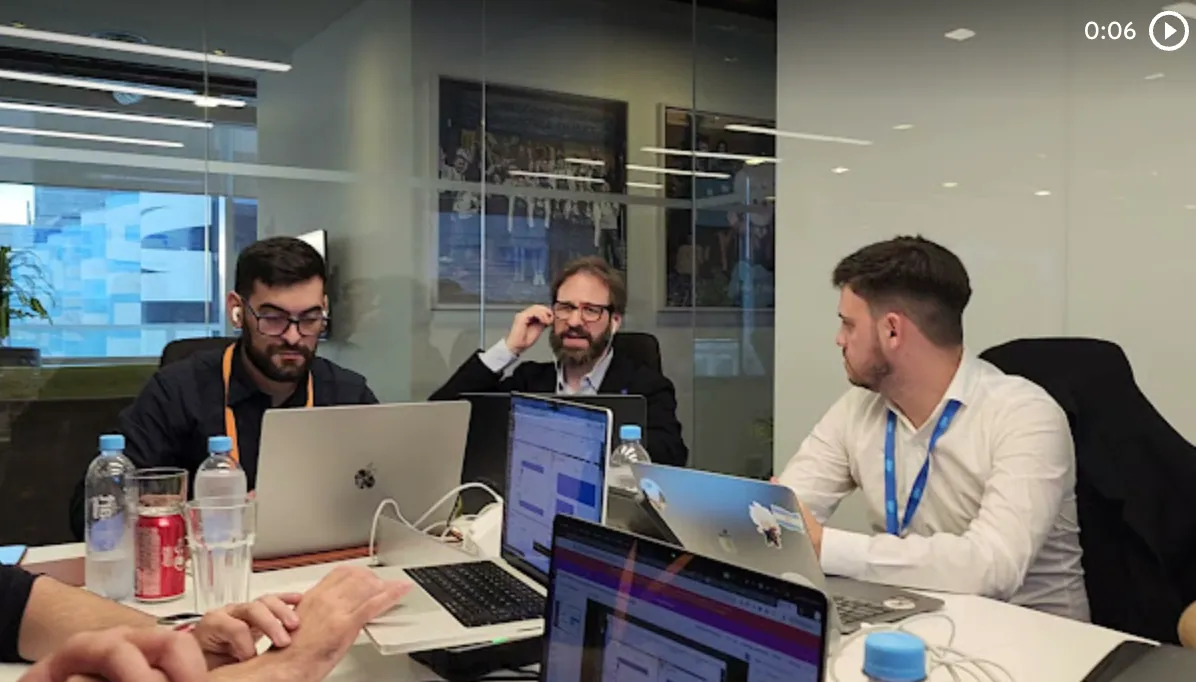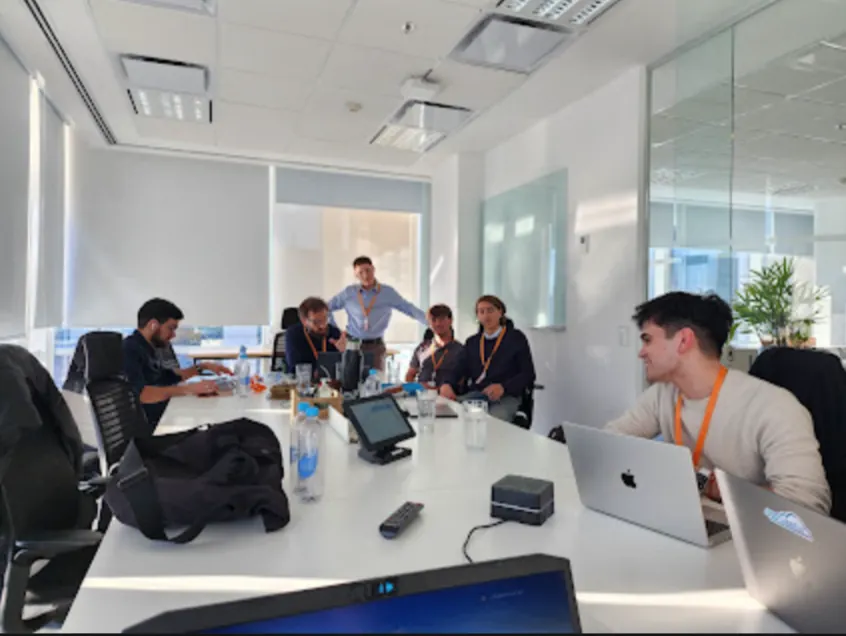


Recently, Vantegrate recorded another Thursday masterclass at full throttle: hacks and tricks to get the most out of the best of the latest releases.
The angle is not a feature brochure or a Spring '26 replay. It is a map of bite-sized tips that change the day-to-day in Flow, Apex, LWC, Agentforce and approvals.
The full class is on YouTube. Juan Manuel Garrido (JuanMa) hosted with Francisco Morales (Fran) and Josué Mendoza (Josu).
In the welcome they also mentioned Angie Cagliolo. Fran and Josu led the technical focus, with JuanMa hosting.
Fran said it plainly. They would show the interesting parts of Summer '26 and, at the end, a few little things that did not necessarily start in that release, but that are worth keeping on your radar.
The Vantegrate team built the class so you take away the concept even if one of your orgs does not have the license or the flag ready yet. If you live in the Salesforce CRM, this is the hands-on masterclass: real shortcuts, not just release notes.
Pulse (and Vanguard in passing): where the content lives
Starting with this masterclass, the team announced Pulse: the blog at vantegrate.com/pulse.
There they will publish articles, news and the material from the masterclasses. The focus is artificial intelligence, with market opinion and technical detail when you need more depth than a one-off post.
Fran also mentioned Vanguard (the study portal) in passing: modules to learn Salesforce and aim for certifications, with new content on the way, including Agentforce and Data 360 (formerly Data Cloud).
In Pulse you can already summarize articles with different AI engines, download presentation PDFs and follow the cycle without losing the thread. In resources and in Pulse you will find the trail of what they covered live.
JuanMa urged the community to get involved: log in, use the summary buttons and participate. The idea is not futurology; it is to have a friendly place where the content of the classes does not evaporate.
Agentforce inside Flow: create the agent as if it were a subflow
The big news in Summer '26 (with licensing caveats) is being able to create an agent from Flow Builder, not just invoke an existing one.
Before, you could already call an agent with a starting prompt and capture (or ignore) the response. Now the creation is embedded in the canvas: you define instructions and actions without leaving for Agentforce somewhere else.
Fran anchored it with a clear analogy. Think of it as a subflow, but the artifact you create is a reusable agent.
The use case they raised: a trigger Flow on Opportunity. When the stage changes, you create (or reuse) an agent that reads emails and comments, builds a summary and pastes it into a field.
The operational magic is in the node: the prompt you use to "wake up" the agent, the expected shape of the response and what you do next with that output inside the Flow.
Watch out for follow-up questions in a headless context
Here comes the warning Fran had left in the Slack masterclass. If the agent runs headless (triggered by a Flow, with no human chatting), a follow-up question leaves it hanging.
Give concrete instructions: you are inside a Flow; do not ask follow-up questions; act with the information available; if in doubt, better to do nothing.
If the summary goes into a 255-character field, say that too. Otherwise, the agent may return text that breaks the update.
For teams designing AI agents on Salesforce, the takeaway is about architecture: creating the agent in the Flow does not remove the need to govern the prompt and the response contract.
Apex: multiline strings with triple quotes (and JSON without the drama)
The most down-to-earth hack of the class: in Apex you can now build multiline strings with triple quotes.
Before, it was the classic hell of quotes, + and line breaks. Now you drop the block of text inside and it stays readable.
The case most shown in the release notes is JSON: you open the triple quote, build the payload and you are done. It also helps when you build dynamic queries with many criteria.
Fran mentioned in passing (it is not new in the release, but it adds value) the JSON Generator class: you open an object, set a field, open a list, with no manual string concatenation.
Juan Diego Navarro, from the chat, added the use in test classes: simulating very long JSON inputs without going crazy. For Salesforce developers, it is daily hygiene.
LWC state management: a shared layer (like React)
Fran brought up a concept that is harder to demo live: state management in Lightning Web Components.
The idea, roughly, is a shared state layer. Several components consume that layer instead of each one hitting the backend for the same Opportunity.
An analogy Salesforce uses in the documentation (and that the chat confirmed): just like in React.
Before: many components, many queries, events to keep them in sync. Now: a state manager centralizes data; line items and summary look at the same source and stay updated together.
It makes no sense if the LWC is standalone and full screen. It does make sense when several components interact in the same experience.
Fran also connected this with the platform's headless bet: manufacturers that drop in a rich component without fully committing to the internal data model, and then orchestrate behind the scenes.
If you are measuring performance and UI consistency, this goes down to data security and layer design, not just "looks nice in Lightning".
Relative dates in Flow: is today, this week, this month
Another quick tip: in Flow's Decision element, you can compare dates with relative evaluators.
Examples they showed: if the date is today, if it falls this week, this month, this year, or in the last month/week/year (even anniversary / birthday).
Before, you had to subtract days and fight with months of 28, 30, or 31 days. Now the operator should show up when you pick a date field in the decision logic.
In Thursday's masterclass they didn't find it stable in every org (possibly beta). The message was the usual one: take the concept with you; once it's ready in your org, the savings are real.
Small case: a reminder if a date falls within the current month, no homemade formulas.
Local LWC preview: no Lightning Page, no Ctrl+Shift+R
Josu couldn't join the live demo, but the team kept it short and to the point: local preview of Lightning Web Components in VS Code (or even in the browser).
You no longer need to drop the component into a fake Lightning Page just to see how it looks. No more Ctrl+Shift+R and cache ritual either.
You code and see the change live. Fewer stories of test components that end up in production on a page that had nothing to do with them.
For admins who deliver UI and developers who iterate, it's pure speed. If you want to see it applied in a product demo, the pattern is the same: visual feedback without org friction.
LWC in Dashboards: one widget, a meta tag, and permissions
This was the "bombshell" of the UI block. You can put an LWC as a widget inside a standard Dashboard.
Important limit: up to one. Salesforce pushes you not to replace the whole dashboard with custom components.
The pattern they defended: use standard reports and dashboards whenever you can; when they fall short, add an LWC for what native reporting can't reach.
To enable it, the component needs the meta tag that marks it as enabled for dashboard. Then, in the dashboard builder, you add the widget and pick the LWC.
Watch out for permissions: you are bypassing part of the reporting model. It's not just "it looks nice"; it's which data that component exposes and to whom.
Josu and Fran left open questions they still wanted to test: whether the LWC receives filters from the dashboard, and what happens if you put several embedded charts inside the single slot. Clear concept; edge cases to test in a sandbox.
Those who build operational experiences (even with pieces like Arconte) will recognize the trade-off: custom power without throwing the standard out the window.
Approvals: headless Slack and unanimous approval
Approve from Slack (without opening Salesforce)
Salesforce keeps pushing the headless narrative. In approvals (classic or Flow-based) the notification can arrive via web, mobile, and now also via Slack.
It's not just a ping. The message is interactive: you approve or reject with a comment from Slack, and the process goes back to Salesforce in real time.
Everything is recorded in the Approval Trace. Less friction, faster approvals, Salesforce without opening Salesforce.
Practical requirement that tripped up the demo: having the org connected to Slack (Fran mentioned the connector / setup that he didn't want to force in a customer sandbox). An extra channel, not an exclusive one: Salesforce, the mobile app, and Slack coexist.
Unanimity in the step (versus first to approve)
New in groups: you can require unanimous approval in the step.
Before, if you assigned a role, the first person to approve won (first to approve). If you needed both Fran and Josu, you chained steps.
Now, with unanimity, everyone assigned to the step has to approve for it to move forward. If one person rejects, the record goes back even if everyone else approved.
JuanMa shared a compliance reflection: Salesforce has always been "rigid" with approvals (even mass approve is painful on purpose). If you are approving discounts or anything with a legal link, the rigid design protects you.
Fran added the mirror from the real project: the customer wanted to approve 100 records at a time. If you approve that many, are you actually reviewing anything?
The platform guardrail is sometimes the feature. That connects with governance and with how you look at pricing and operational risk: not every shortcut saves money in the end.
Apex API 67: SOQL in user mode and with sharing by default
Josu raised the breaking change alert. Apex classes you move up to API 67 change the default behavior of queries.
SOQL in user mode by default: the field-level security and permissions of whoever runs it are respected. If the class doesn't declare sharing, it defaults to with sharing.
Operational translation: queries that used to return data may fail because of sharing or FLS when you bump the API version. Salesforce documents it as a data security adjustment, not as a bug.
Triggers stay in system mode. Edge cases aside, the message was a single one: test when you move up to 67.
You can also (in practice) stop fighting so much with WITH SECURITY_ENFORCED: the model gets organized around user mode versus system mode. If an LWC or a class lived "without sharing" out of habit, the upgrade can break silently until the first test.
Formulas in SOQL: comparing fields in the WHERE clause
A short but powerful tip: you can now use formulas inside the SOQL WHERE clause.
Before, you couldn't compare one field with another in the same query in a clean way. You pulled the list and filtered it in a for.
Example from the class: opportunities where Amount * Discount is greater than a thousand, resolved in the query. Fewer rows in memory; fewer custom fields invented just to be able to filter.
In the live session they didn't run it in the demo org, but the concept stuck: push the filter to the engine, not to the loop.
Chatter off by default (and other small release items)
Among the "crazy things" they added at the end: Chatter now ships turned off by default (more headless, more Slack).
They also mentioned an expansion of dark mode (more Setup surfaces), improvements around AIDs for email templates and Flow (less painful deploys), and a redesigned validation/warnings panel in Flow Builder.
No made-up roadmap: these are signals of where the platform is heading. If Chatter was noise in your process, the new default lines up with what the community was already debating.
Community: WhatsApp, QR, voucher and Vanguard codes
Before wrapping up, JuanMa shared the QR code for the private WhatsApp group. Material circulates there that isn't published anywhere else, technical questions get answered, and everyone helps each other.
Meta caps the number of members, so scanning now secures your spot. They also reminded everyone about the certification voucher giveaway (codes collected in the classes) and the new format with Pulse.
The first people to share a screenshot of an AI summary in the group get an access code to Vanguard. It's not a hard sell: it's community plus study.
If you want to follow the masterclass cycle, Pulse and the group are the entry point. The framework for how they work closes with data transparency.
On the masterclass Thursday they left plenty of bite-sized tips scattered on purpose. Summer '26 isn't something you swallow in one go: you prioritize, test in a sandbox, and take away the concept even if the flag isn't green yet in your org.