

In January, Vantegrate recorded a Thursday masterclass on a topic that sounds like maintenance and isn't. Salesforce performance is not a last-minute adjustment: it is the cost of every small automation that got pushed to later.
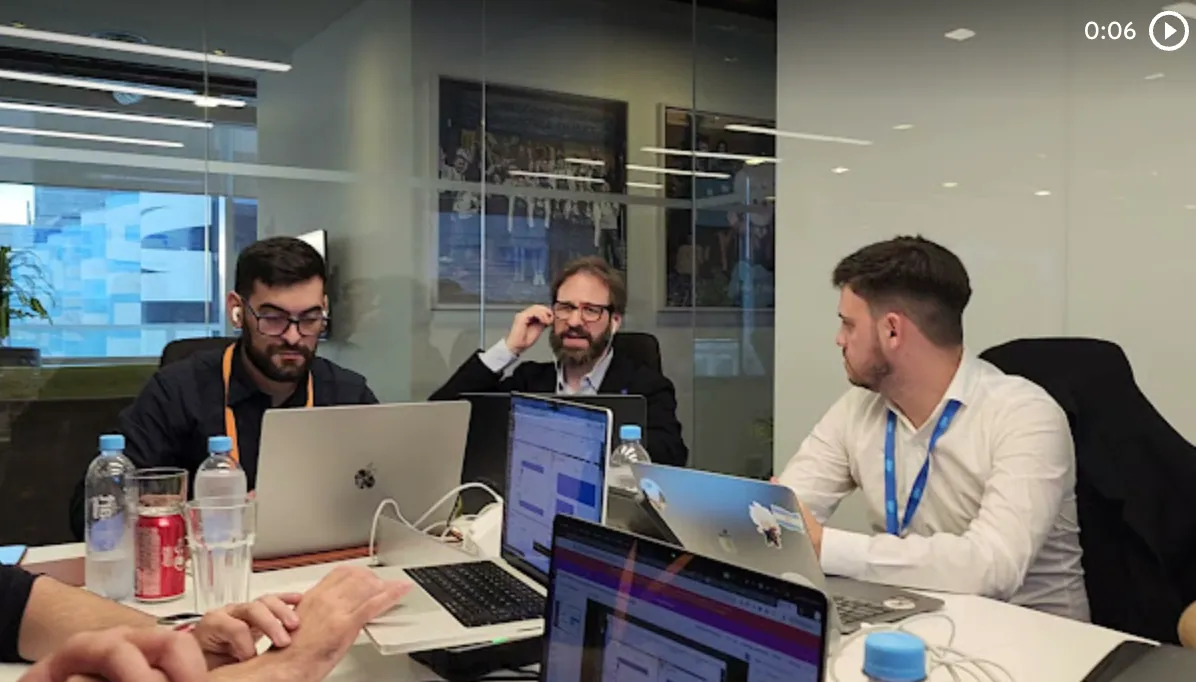
The class was filmed on January 8 and you can watch it in full on YouTube. Francisco Morales (Fran), Josué Mendoza (Josu) and Esti built it from real stories, without naming clients.
The Vantegrate team said it up front. Today we're going to look at mistakes we all made and how to cut them off in time.
Josu started with a deliberately small premise. Small oversights, pushed along by the urge to deliver value right away, turn into a snowball.
The temporary fix that stays forever
Fran dropped the line that hurts because it's true. The approach of "I'll do this quick fix to get by and improve it later" almost never gets to the later.
At home, you leave something taped up for a week. In the org, you leave a Flow that works, and "if it works, don't touch it" is a maxim that blows up on you later.
Josu said it with the kind of humor everyone recognizes. In this part of the world, that's called temporary forever.
The user doesn't see the design. They see a CPU time limit exceeded error and have no idea what it means.
That applies to Flow and Apex alike. Today, with vibe coding tools, best practices are not optional: you have to put rules around development, not just around the click.
The requirement that fits in one sentence
Josu proposed an almost textbook case. An account has many contacts, and in that implementation every account has a manager.
When the manager is loaded, all the contacts of that account have to move to that manager's ownership. The contact owner is the account manager (that small).
They have Apex, but they try to avoid it. Workflow and Process Builder are ancient, so a record-triggered Flow on account is born.
The Flow runs when the account is updated and works with related records. First it does a Get on that account's contacts; then it iterates, assigns the owner and updates inside the loop.
They test it, it works, and they push it to production because it was needed yesterday. In a small org nothing happens; once the org fills up, the Flow that used to work becomes the villain.
Without entry conditions, the Flow runs more than it should
The first oversight is a classic. The Flow runs every time the account is updated, not only when the manager changes.
Someone edits the name, the phone, any field. Invisible to users, that automation consumes the organization's time and resources.
Josu was direct. He has seen orgs with more than 300 Flows on a single object.
Everything starts eating CPU, running queries, updating, until Salesforce says enough. The first rule is to reduce the scenario to the minimum: the logic runs only when it's needed, never just in case.
Eduardo and Layton pointed out the same thing in the chat. If the Flow only runs on update, a new record doesn't replicate the manager; you need to set entry conditions for when the field that matters changes.
Fran added experience from projects with many business units in the same org. An account for one unit triggers an automation and for another it doesn't.
That's where record types up front save you from breaking everything when the business adds new ideas. Carlos shared the trick: in the conditions you can use a formula with the record type's Developer Name.
There's a second switch, more hidden, inside a Decision. You can run the branch every time the record meets the condition, or only when it changed and started to meet it.
Josu showed it with a null manager: if it was already loaded and someone edits another field, the Decision doesn't fire the Get, the loop or the update. Fran took it to a closed opportunity email that gets resent when someone edits the description.
That check at the bottom, the one almost nobody looks at, asks that the requirement be met for the first time, not every time the record is saved.
More than 50,000 records: the Get that fails one day
The contacts Get looks harmless. It works until Salesforce returns more than 50,000 records in that query.
Josu brought a real case: years of assigning products to price lists, and one day it failed. Nobody had touched anything; there were simply more than 50,000 products.
The fifteen-minute fix was a LIMIT (give me up to 50,000 and done), and that is not good practice: it's covering up the thermometer. The class's rule was a different one: if it can happen, it will happen.
Update inside the loop (and the subflow that fakes it)
For every contact updated inside the loop, you fire a DML. And all the contact triggers start running.
It's an account record-triggered Flow that switches on the contact one. If those contacts update other records, the transaction gets out of hand.
The best practice is always the same, in Flow and in Apex. The DML goes outside the loop: inside you assign, and at the end you do one bulk write.
Josu has seen it forgotten a thousand times, because the Flow gives the feeling that everything is fine. Then there's the subflow trap: you pull DML and queries out of the main Flow and declare victory.
When you open the Flow Reference, the subflow queries and updates again on every iteration. At a large client, a nested subflow ran DML in a bulk load of accounts: nobody touched anything, the volume grew and the temporary fix became visible.
An apartment building (why limits exist)
Roberto asked what many people get wrong by intuition: if Salesforce is the cloud, why does it consume CPU when it seems endless?
Josu built the analogy that sticks. Think of Salesforce and the cloud as an apartment building.
Each org is an apartment. They share water, noise and plumbing, and company A and company B don't see each other, but they live in the same building.
So that everyone can live together in peace, Salesforce sets limits. The time of a transaction, the number of queries, the number of asynchronous jobs.
If you go over, it will very likely block transactions for a while (sometimes an hour, sometimes 24 hours). It's not a whim: a bad build on your side can't lock the neighbor out.
Fran added the fine print: sometimes that water limit can be raised, and it costs money. The consultant's obligation is not to bother the client or their neighbors.
Vantegrate is a current Salesforce partner and an Oracle partner. That doesn't save you from governor limits: the limits belong to the platform, not to the logo on the door.
Tattooed IDs and permissions for everyone
In Apex, hardcoding an ID is wrong and almost everyone knows it. In Flow, seeing a pasted-in ID is much more common, and it always ends badly later.
You can't count on the sandbox and production having the same IDs. If you delete the record, you depend 100% on that pasted value.
On a logistics project (maritime shipping, without naming the company) the IDs were tattooed in. A collection from years back said "this is temporary, we'll fix it later".
More Flows showed up, nobody wants to refactor them, and the hardcoding spreads. Ruiz, in the chat, put it cleanly: use metadata, not a fancy ID.
Juliana raised the other classic. You have to create the Manager field, move it to production, and the quick fix is permission for everyone, onto the layout, and done.
That's where you lose control over who should see or edit that field. One day an audit lands: why does a sales rep see a customer's credit limit?
Permission Sets and Permission Set Groups are the way. The profile, more and more, is left only to tie in the license.
Fran added a micro-practice. Native field history lets you audit up to 20 fields per object (with a paid upgrade, up to 60).
On critical fields (bank account number, credit limit, a product's cost price) you record date, time, user, old value, and new value. And you can build an audit report.
Josu cooled the enthusiasm: auditing for the sake of auditing fills up storage. Nobody cares that the contact went from Juan to Juancho; you may well care that the ID document changed.
That is real security. It's not about turning on every checkbox: it's about deciding what is worth keeping.
Storage: every record weighs the same
Another example, from not long ago. Person accounts and promotions to assign to them.
The usual move is to create a join object (promo-account). Technically it makes sense, until someone asks for the numbers.
How many promos? At most 20.
How many accounts? In the real case there were millions, and every promo applied to every account.
One million accounts times 20 promos is 20 million join records, then sent by API to another system. The "correct" model on the whiteboard chokes the org.
In consumer goods that temptation shows up all the time. Checking the box isn't enough: you have to ask what they want that table for.
The proposed evolution was different. Tiers on accounts and tiers on promos: if the account is tier 1, bring in the tier 1 promos.
Don't assign the cross-match until it matters to know whether that customer used that promo. Only then do you create the record.
You have to know the platform. In Salesforce every record takes up roughly the same space, whether it has one field or fifty.
Fran was specific: 2K per record. The default space of an org, more than a decade ago, was 1 gig; user pressure took it to 10 gigs (about 5 million records).
Salesforce lets you see how much each object takes up. More than one client has called Josu: the platform wants to sell them storage because they're maxed out.
Often the villain isn't the business object. Email Message: someone said it would be nice to have all the emails in Salesforce.
Nobody reads them or runs any analysis. You can clean it up.
Another client wanted each customer's profile photo on the screen, and that ate up the file storage. It was only to see the face.
Small "it would look nice" decisions threaten the economics. If you're paying for extra storage, look at pricing with the object map open, not with the invoice closed.
Deleting cases to save space (and the month it cost)
Salesforce has data export for backup. You pick objects and it builds compressed files with CSVs.
The recommendation is to be deliberate when you're about to delete. One client asked to delete all cases because storage was full and they needed to keep creating.
Backup ready, a twenty-minute delete. Two weeks later, a manager (from Chile) asked to upload the history again.
They had to invent an External ID, a record type for old cases, and spent a month restoring. The delete was cheap; the restore was not.
And the recycle bin? Back then, either the 90 days had already passed, or Salesforce charged for restoring, so they re-uploaded.
Fran's best practice was learned the hard way. Every time they ask you to touch production data, it has to be signed off (an email from whoever requests it, with all the guarantees).
If you can give the business the tool to do it themselves, better. If you do it yourself, cover yourself: a mistake there is not a small ticket.
Archiving without bloating the org
Mariana asked about practices for automatically archiving old information. Desti laid out the map.
If you want to keep millions of records inside Salesforce, there are Big Objects. It's a separate license, and the downside is steep: you can't automate with Flow or triggers.
If you don't want to pay the platform for more storage, an external database is the way out (an Amazon, a MongoDB). Scheduled export, archive file, load it outside.
Then you connect External Objects: they look like Salesforce objects, but the database doesn't live there. It's also a paid feature.
Fran clarified the intended use. External Objects shine for integrating an ERP (the example in class was SAP) and exposing part of that database inside Salesforce.
There you can automate like on a normal object. The price, they said, can be high: you have to measure the case.
Another practice: consolidation objects. If you have a mountain of old opportunities, keep the ones from recent years and summarize the rest.
A process goes through an account's opportunities for a month and creates one record with the total. Twelve records per year, per customer, instead of thousands: it governs the size because every record weighs the same.
When it already breaks: Log Analyzer and Scale Center
If you are already in an org with many Flows and triggers, and it breaks on time limit, Josu has a favorite fear. The CPU Time Limit.
There is a tool for Visual Studio Code that builds a call tree from the log. It tells you how many queries were fired, how many records came back, and how much CPU each piece uses.
It is called Log Analyzer and, when it breaks, it puts a red line on the error. For the Salesforce developers team it is not a luxury: it is a flashlight.
Desti showed another screen to see test coverage without going into the Developer Console. And then, the Scale Center: you have to talk to a representative to get it enabled.
It helps you stop arguing about a feeling. "The org is slow at three in the afternoon" becomes a measured test (peak hours, one Flow, one batch, one set of test data) with metrics in real seconds.
Eduardo asked whether they enable it for free. Desti thinks so: you have to talk to sales.
Get it right the first time
The challenge of the class was not memorizing a limit number. It was stopping the snowball before the user sees the error.
When in doubt, shrink the scenario, take DML out of the loop, don't hardcode IDs, and don't create 20 million records just because the model allows it. "I'll fix it later" is not a plan.
The team is putting together a development standards guide (about 38 pages) that blends the Apex and Flow universes. No list like it exists, they said, not even in the official documentation.
The goal is twofold: standardize what they build and feed it to Cursor or Antigravity (naming, Flow nodes, no DML inside a for). They will also share it as a prompt for Gemini, ChatGPT or Claude.
That connects with AI agents. The agent does not forgive a poorly thought-out Flow: it replicates it faster.
These Thursday masterclasses stay on Pulse. If you want to bring this into your org (entry conditions, bulkification, storage and a Scale Center that stops being a hunch), ask for a demo.
The January class did not show every Setup screen. It showed the map: small requirement, the building's limits, and the discipline of getting it right the first time.
That is performance. The rest is a Flow that happens to work.